
You can restore database backups directly in the administration in the domain detail: MySQL databases > for the selected database, click Restore from backup.
Restoring from regular system backups
If you are restoring from our regular backups:
- select Restore from regular system backups
- choose the date from which the backup should be restored
- click Restore system backup
We keep backups for 30 days.
Restoring from your own backup (FTP)
If you want to restore the database from your own backup, proceed as follows.
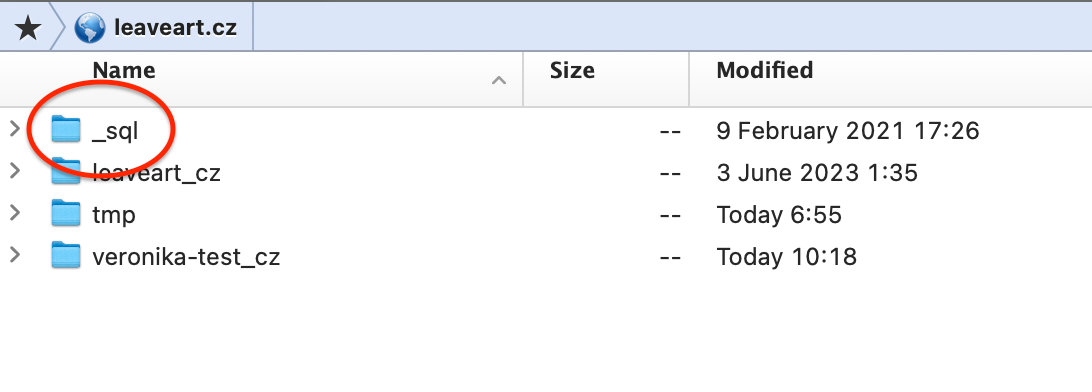
1. Upload the backup to FTP into the _sql folder
First, upload the backup file via FTP into the _sql folder.
You will see the _sql folder after logging in only with the
main FTP account. It is located at the domain level on the
hosting.
2. Import the uploaded file in the administration
After uploading the file to FTP, import it into the selected database in the administration:
- open the domain detail > MySQL databases
- for the target database, click Restore from backup
- select Restore from your own FTP backups
- in the list, select the file you uploaded to the
_sqlfolder - start the restore